What do you need help with?
Forgot your password?
Use our "Forgot Password" function.
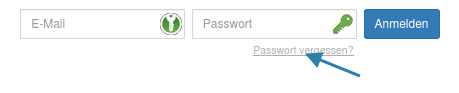
Click on "Forgot Password", and a form will open.
Enter your email address registered with us and click "Save".
You will immediately receive an email with an activation link and can then set a new password.
After that, you can log in with the new password.
If you did not receive an email with a new password, please check your spam folder.
If an error message appears stating that there is no user with this email address,
then you are registered with a different email address. Use that address to request a new password.
If you no longer know which email address you registered with,
please contact your food provider.
The contact information can be found at the bottom of the homepage.
Registering as a new customer
As a new customer, please register via the link on our homepage ("Homepage of the ordering system"/registrierung/neukunde/).
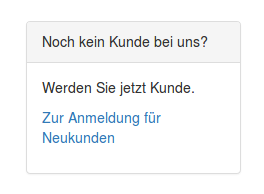
First, check whether the institution (e.g., school or kindergarten) of the meal participant is selectable.
(If your institution is not selectable, please contact the responsible contact at the food provider.)
Then fill out the form completely.
Fields marked with * are mandatory.
After submitting the form, you will immediately receive your password via email.
If you do not receive the password email within a few minutes, check your spam folder
or, for example, in a Google Mail account, the "All Inboxes" area (not just the "Primary" folder).
With the sent password, you can log in to our website and access your personal customer area.
You can now add additional meal participants if needed and then order meals.